File I/O in C: A Checked fopen, fprintf and fgets Lifecycle
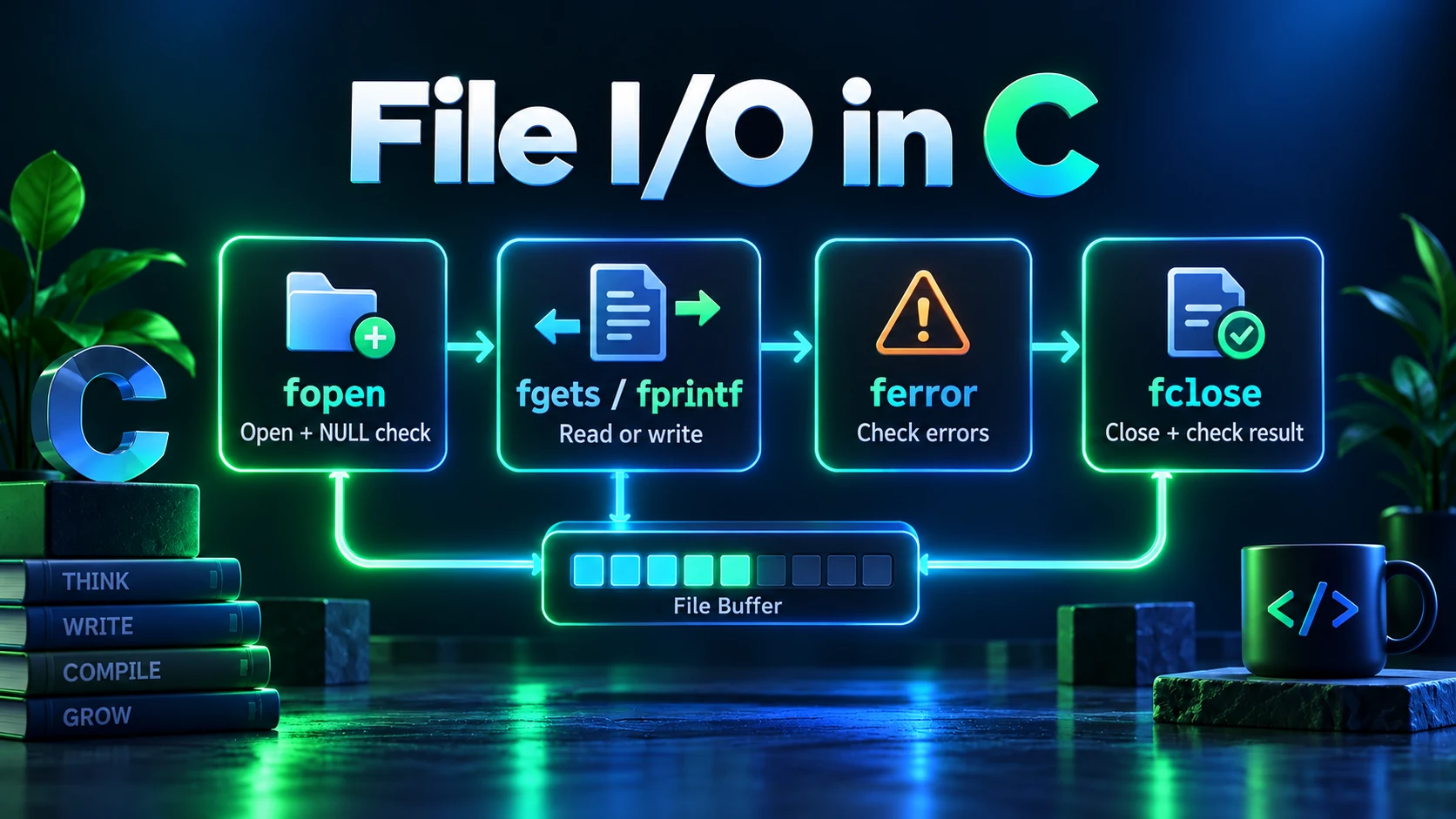
A FILE pointer is a library-managed stream, not the file's contents and not a raw operating-system descriptor. Correct file I/O checks opening, writing, positioning, reading and closing separately. This example creates a new text file without overwriting an existing one, writes two records, repositions the update stream, reads it back and removes its own demo file.
### Pick the mode before opening
fopen(path, "r") reads an existing file and fails if it cannot be opened. Mode w creates or truncates a file; a appends writes. The + modifier enables both reading and writing. r+ requires an existing file, while w+ creates or truncates. This C17 example uses w+x: the C11 exclusive-creation modifier makes opening fail if the path already exists, avoiding silent overwrites. Use b when you need binary semantics on systems that distinguish text and binary streams. The mode determines access, not whether operating-system permissions will permit it.
### Check every stream operation
fopen returns NULL on failure. Do not pass that value to fprintf, fgets or fclose. fprintf returns a negative value on an output error; a nonnegative return is the character count, not a guarantee that the data has reached durable storage. Standard I/O may buffer the bytes. fclose attempts to flush buffered output and releases the stream, and its return value must also be checked. Even after a failed fclose, the stream is no longer usable; do not retry on the same FILE pointer.
### Reposition an update stream between writing and reading
For an update stream opened with +, output must not be followed directly by input without an intervening fflush or file-positioning operation. This example uses a checked fseek(fp, 0L, SEEK_SET), which both satisfies the sequencing rule and positions the next read at the beginning. In the reverse direction, input must be followed by positioning before output unless the input encountered end-of-file. Simply calling both functions in succession is not a portable update-stream pattern.
### Read until an operation fails, then distinguish why
Use while (fgets(buffer, sizeof buffer, fp) != NULL), not while (!feof(fp)). The EOF indicator is set by an attempted read that reaches end-of-file; checking it before the read does not predict success. After the loop, check ferror to distinguish a read error from normal end-of-file. fgets preserves a newline when it fits and returns at most capacity minus one characters plus a null terminator. A long text line can arrive in several chunks, so a chunk is not necessarily a complete record.
### Text, binary data and buffering limits
This demonstration echoes short known text records with fputs. It is not a binary copy utility: embedded null bytes would invalidate that string-based approach. Use fread and fwrite with explicit lengths for arbitrary bytes. FILE buffering, kernel caching and persistent storage are separate layers; successful fclose is not a power-loss durability guarantee. Requirements such as fsync are platform-specific and belong in a deliberately designed persistence strategy.
### Run safely and interpret sandbox failures
Run the program in a disposable working directory. It creates council-file-demo.txt only if that name is free and removes it during cleanup after a successful open. If opening fails, it does not delete the existing path. A remote compiler may deny file access, use a read-only directory or discard files after execution; such a failure is not evidence that fopen syntax is wrong. The site makes no persistence promise. This page focuses on the checked text-stream lifecycle; the existing file-handling example covers broader record-storage usage.
Interactive Runnable C Implementation
#include <stdio.h>
#include <stdlib.h>

int main(void) {
    const char *path = "council-file-demo.txt";
    FILE *fp = fopen(path, "w+x");
    if (fp == NULL) {
        perror("fopen (requires a new writable path)");
        return EXIT_FAILURE;
    }
    int status = EXIT_FAILURE;
    char line[64];
    if (fprintf(fp, "Ada: %d\nGrace: %d\n", 42, 37) < 0) {
        fputs("Write failed\n", stderr);
        goto cleanup;
    }
    if (fseek(fp, 0L, SEEK_SET) != 0) {
        fputs("Reposition failed\n", stderr);
        goto cleanup;
    }
    while (fgets(line, sizeof line, fp) != NULL) {
        if (fputs(line, stdout) == EOF) {
            fputs("Display failed\n", stderr);
            goto cleanup;
        }
    }
    if (ferror(fp)) {
        fputs("Read failed\n", stderr);
        goto cleanup;
    }
    status = EXIT_SUCCESS;
cleanup:
    if (fclose(fp) == EOF) {
        fputs("Close failed\n", stderr);
        status = EXIT_FAILURE;
    }
    if (remove(path) != 0) {
        perror("remove demo file");
        status = EXIT_FAILURE;
    }
    return status;
}Expected Output
Ada: 42
Grace: 37Frequently Asked Questions
What is the difference between r+, w+ and a+?
r+ updates an existing file without truncating it. w+ creates or truncates a file. a+ allows reading and appending, with writes forced to the end; position explicitly before reading rather than relying on an initial read position.
Why does while (!feof(fp)) repeat the last line?
EOF is only set after a read attempts to reach beyond the available input. If you ignore the failed read, you can process stale buffer contents. Use the read operation as the loop condition.
Why use fseek after fprintf?
It positions the update stream back at the beginning and satisfies the required transition from output to input. Check its return rather than assuming positioning succeeded.
Will a file created in the online compiler remain available later?
Do not rely on it. Execution providers can restrict filesystem access or discard files after a run. Use a local disposable directory to test this example's full file lifecycle.