scanf vs fgets in C: Read Tokens or Read a Whole Line
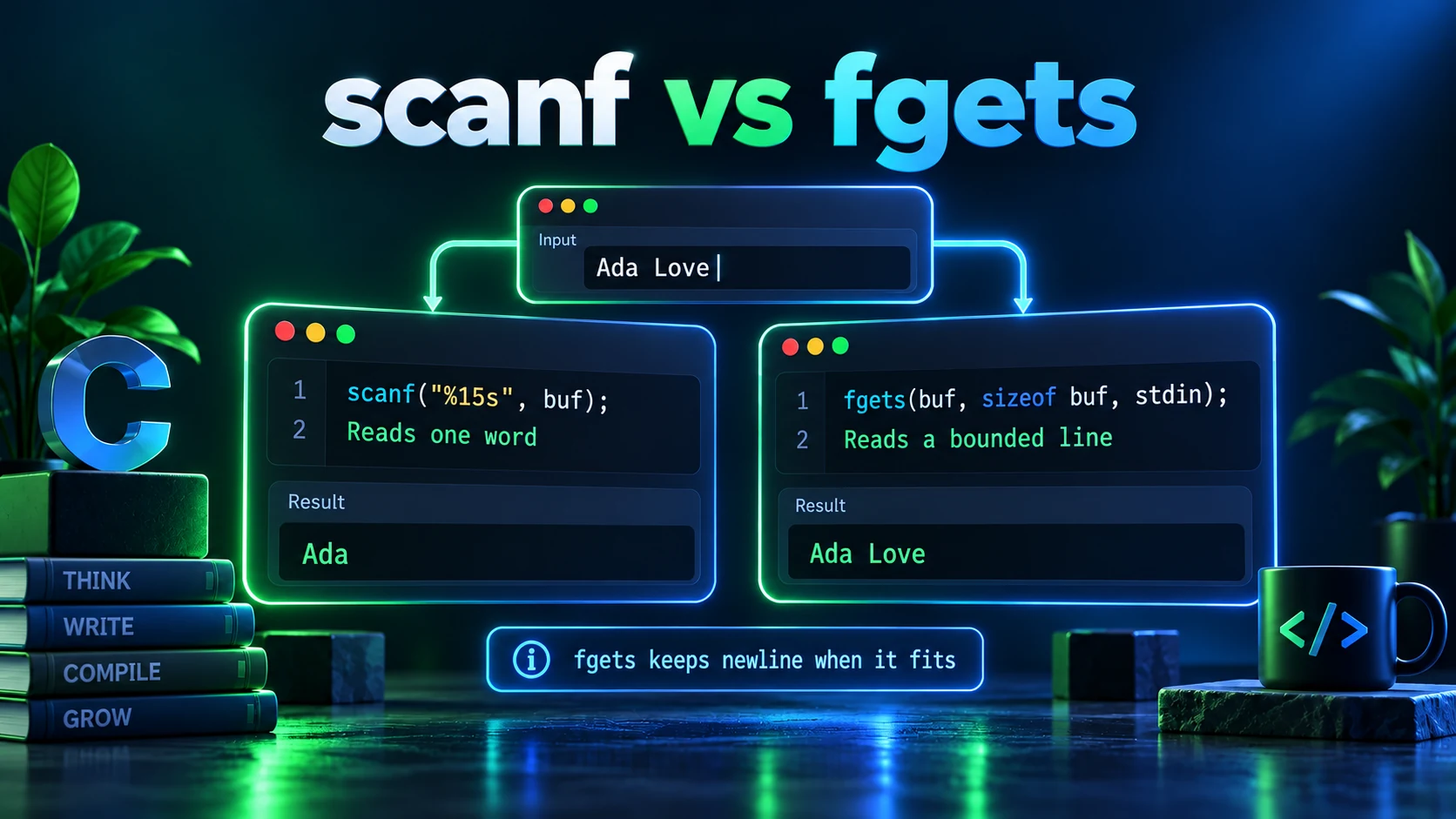
scanf converts formatted tokens; fgets reads a bounded sequence of characters from a stream, including spaces and a newline when it fits. For line-oriented user input, read with fgets and then parse the line. The choice affects whitespace, invalid input recovery, capacity checks and what remains unread in stdin.
1. What scanf consumes
scanf("%15s", name) skips leading whitespace and reads at most 15 non-whitespace characters into a 16-byte array, then appends a null byte. With Ada Love followed by a newline, it reads Ada and leaves the space plus Love and the newline in the stream. %d likewise skips leading whitespace but stops after the numeric token. Check the number of successful assignments; a zero result can leave the offending input unread. EOF means input failure occurred before the first conversion completed.
char name[16];
if (scanf("%15s", name) != 1) {
    /* Handle missing or invalid input. */
}
2. What fgets guarantees—and what it does not
For a buffer capacity greater than one, fgets reads at most capacity minus one characters, stopping after a newline or at end-of-file, and null-terminates successful input. Check its return before examining the buffer. A successful read without a newline might be the final unterminated line, or only a prefix of an overlong line. Decide whether to reject, drain, or accumulate the rest. A bounded read alone does not guarantee a complete record.
char name[64];
if (fgets(name, sizeof name, stdin) != NULL) {
    name[strcspn(name, "\n")] = '\0';
    /* Include string.h for strcspn. */
}
3. Why fgets seems to skip after scanf
If scanf("%d", &age) reads 42 from a line containing 42 followed by a newline, that newline remains unread. The next fgets can successfully read just that newline. It has not skipped input. Prefer one line-based input strategy. If you must switch, consume through the end of the current line using an int variable, stopping at either newline or EOF; a single getchar only removes one character and is not a general cleanup loop.
int ch;
while ((ch = getchar()) != '\n' && ch != EOF) {
    /* Discard the remainder of this line. */
}
4. Parse numbers after reading the line
strtol lets you inspect where numeric parsing stopped and detect range failures through errno. Set errno to zero first, reject an empty conversion, check ERANGE, validate remaining characters and enforce the application's numeric range before narrowing. By contrast, a scanf numeric conversion whose result cannot be represented in the destination object has undefined behavior. This matters when input is untrusted, even if scanf returns the expected assignment count.
5. Avoid common input workarounds
Do not use gets: it cannot enforce capacity and was removed from C11. fflush(stdin) is not a portable input-discard operation. A trailing whitespace directive such as scanf("%d\n", &n) consumes whitespace until non-whitespace appears or input ends and can seem to hang interactively. Leading whitespace before %c is useful when you intentionally want to skip whitespace, but it is a choice of parsing behavior, not a universal fix.
6. Run a complete line-oriented example
The runnable program expects two newline-terminated text records: a name and an age. Its compiler link supplies Ada Lovelace and 42 as stdin. For clarity it rejects lines missing their newline, including an overlong line or an unterminated final record; applications that accept a final line without a newline should implement that separate policy. Try a blank age, 42x, a huge number and an oversized name to exercise rejection. The reader is for text, not binary input containing embedded null bytes.
Runnable C example
#include <stdio.h>
#include <stdlib.h>
#include <string.h>
#include <errno.h>
#include <ctype.h>

static int read_line(char *out, int capacity) {
    if (fgets(out, capacity, stdin) == NULL) return 0;
    char *newline = strchr(out, '\n');
    if (newline == NULL) return 0;
    *newline = '\0';
    return 1;
}

int main(void) {
    char name[64], number[64];
    if (!read_line(name, (int)sizeof name) ||
        !read_line(number, (int)sizeof number)) {
        fputs("Expected two complete bounded lines\n", stderr);
        return EXIT_FAILURE;
    }
    errno = 0;
    char *end;
    long age = strtol(number, &end, 10);
    if (end == number || errno == ERANGE) {
        fputs("Invalid age\n", stderr);
        return EXIT_FAILURE;
    }
    while (isspace((unsigned char)*end)) ++end;
    if (*end != '\0' || age < 0 || age > 150) {
        fputs("Invalid age\n", stderr);
        return EXIT_FAILURE;
    }
    printf("Name: %s\nAge: %ld\n", name, age);
    return EXIT_SUCCESS;
}Expected Output
Name: Ada Lovelace
Age: 42Frequently Asked Questions
Which reads a string containing spaces?
fgets reads spaces as part of a bounded line. scanf with %s stops at whitespace; if you use it for a token, include an appropriate maximum field width.
Does fgets remove the newline?
No. If it encounters a newline before reaching capacity, it includes it. Remove it deliberately, for example using strcspn after a successful read.
Should I call fflush(stdin) before fgets?
Not in portable ISO C. Read and discard the rest of the line explicitly if that is your intended policy, or avoid mixing token and line input.
Is fgets automatically safer than scanf?
It supplies a convenient capacity bound, but you must still check failure, handle incomplete lines and validate parsed values. A correctly bounded scanf %s can be suitable for a known token grammar.